How To Change the Metadata in the Title of an MKV
1) Download and install MKVToolNix
Matroska tools for Linux/Unix and Windows
https://www.bunkus.org/videotools/mkvtoolnix/
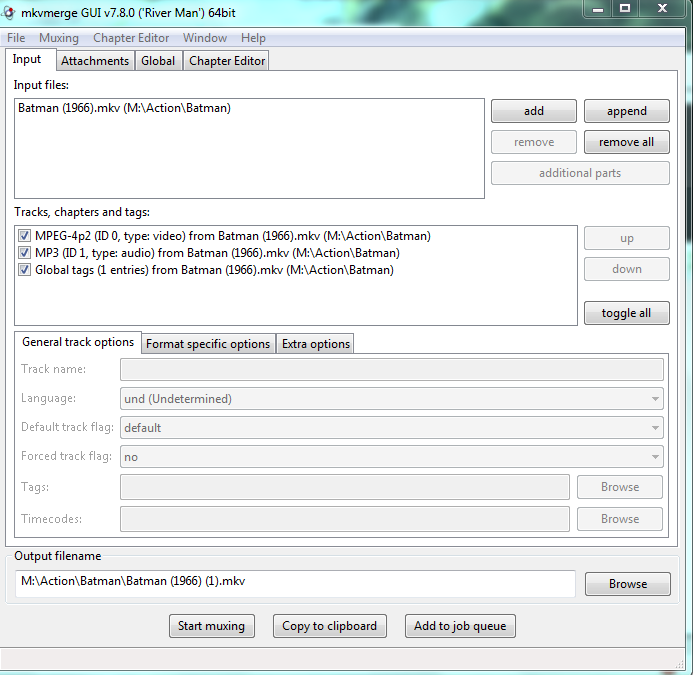
2) Add your movie from the Input tab
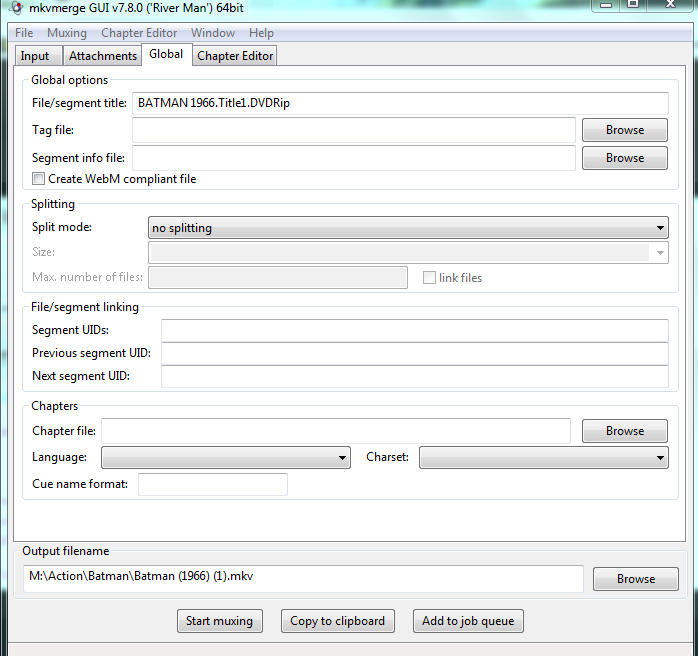
3) Navigate to the Global Tab & change the tag file listed in the File/segment title field.
4) If Title still does not change, you will have to create a new tag file with xml and imported it
by clicking on the browse button in the Tag File field listed above and override any hidden
metadata inserted by the uploader, but this is not common.

Hello Friends, use this online converter for file converting;
ReplyDeleteFile Spinner
That converter will convert various files like this;
ReplyDeleteDocx to Zip
Mp2 to Mp3
Mp4 to Png
Oga to Mp3
Tga to Jpg